
July 16, 2026
How to Shop Dispensary Menus Without Guesswork
Learn how to shop dispensary menus by comparing formats, THC, CBD, package sizes, and availability so you can order confidently, with clarity.
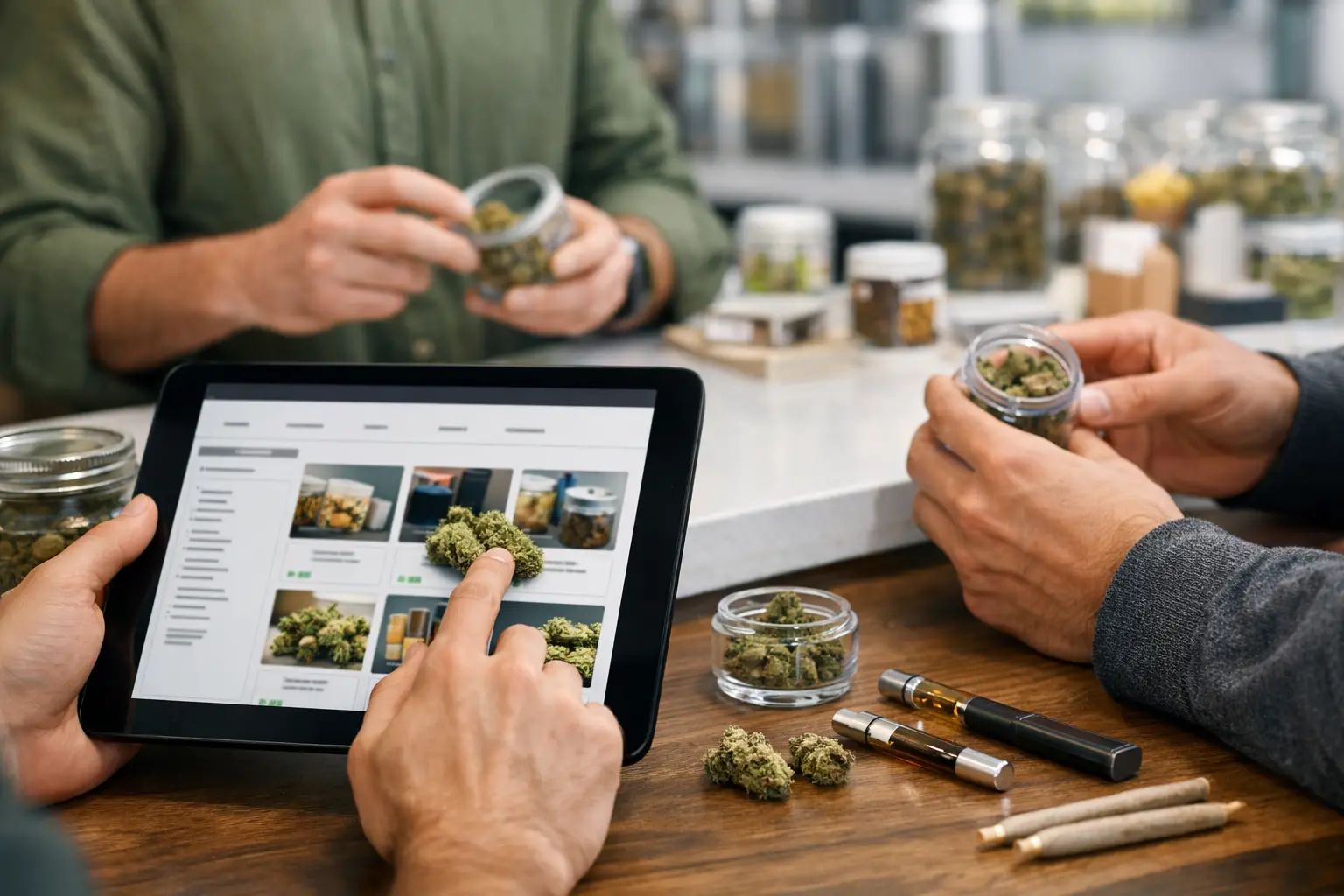
A dispensary menu can look simple until you are choosing between five flower strains, three package sizes, and a price difference that is not immediately clear. Knowing how to shop dispensary menus helps you spend less time scrolling, make choices that fit your plans, and place an order with fewer surprises.
The best approach is not to hunt for the highest THC number or pick the first sale item. Start with the experience and format you want, then use the menu details to narrow down the right product. Inventory can vary by location and change quickly, so a clear shopping process matters whether you are ordering ahead, shopping in store, or checking delivery availability.
Start With the Product Format
Menus are easiest to shop when you begin with the category, not the brand name. Think about when, where, and how you want to use cannabis. That practical decision will remove most options right away.
Flower is a familiar choice for customers who prefer a traditional cannabis experience and want flexibility with quantity. It is commonly sold by weight, so compare the package size before comparing prices. A lower total price is not always the better value if the package contains much less product.
Pre-rolls are convenient when you do not want to grind or roll flower. Check whether the listing is for one pre-roll or a multipack, plus the total weight. A pack of smaller pre-rolls may suit occasional use or sharing, while a larger single pre-roll is a different kind of purchase.
Vapes offer portability and discretion, but cart size, hardware compatibility, and potency all matter. Confirm whether you are buying a cartridge, disposable vape, or battery before adding it to your cart. Edibles are measured in milligrams and can take longer to take effect than inhaled products, so customers new to them should start conservatively and wait before taking more.
Concentrates, oils, capsules, beverages, topicals, and infused products each have their own label details. If a format is unfamiliar, do not rely on the product photo alone. Read the description, serving information, and package size, then ask store staff if you need help choosing.
How to Shop Dispensary Menus by Effect Goals
Product labels may use terms such as indica, sativa, hybrid, relaxing, uplifting, or balanced. These can be useful starting points, but they are not guarantees of how every person will feel. Individual response, dose, tolerance, setting, and the product itself all play a role.
Use effect descriptions to make a short list, then check the cannabinoid and terpene information when it is available. If you want a lower-intensity option, look for products with moderate THC levels or a THC-to-CBD balance that better fits your comfort level. If you are experienced and looking for a stronger product, remember that potency is only one piece of the decision.
THC is typically listed as a percentage for flower and as milligrams or a percentage for other formats. Comparing THC only makes sense within the same category. A flower percentage, an edible serving, and a vape cartridge are not interchangeable measurements.
CBD can be worth considering if you want an option with less THC or a more balanced cannabinoid profile. Some products contain mostly THC, some contain both THC and CBD, and others are CBD-forward. The menu should state this clearly. If it does not, check the package details at pickup or ask a budtender before purchasing.
Terpenes are aromatic compounds often listed on product pages or labels. They can help describe a product's flavor and aroma, such as citrus, earthy, pine, floral, or berry notes. Treat these details as helpful preferences rather than a promise of a specific outcome. If you know you dislike a strong diesel flavor, for example, terpene notes can help you avoid a purchase you will not enjoy.
Read the Product Card, Not Just the Product Name
A menu listing is a quick product card. It should answer the basics: what the product is, how much it contains, its cannabinoid range, and what it costs. Take an extra moment to review those details before checkout.
For flower, compare the weight, THC and CBD range, and whether it is whole flower, milled flower, or a smaller-format product. For pre-rolls, look at both the number of units and total grams. For edibles, check the milligrams per package and per serving. For vapes, verify the cartridge volume and whether a device is included.
Product photos can be useful, but packaging and presentation can change. The written listing and the regulated package label are more reliable for size, dosage, and ingredients. This is especially important for items with similar names or multiple versions, such as gummies with different cannabinoid ratios or vapes sold in different sizes.
Also check the product's freshness information when available. Packaged cannabis does not need to be treated like produce, but package dates and proper storage can matter for aroma, texture, and overall quality. Keep your purchases sealed and stored in a cool, dry place away from children and pets.
Compare Value the Right Way
A sale price is useful only after you know what you are comparing. To assess flower, calculate the approximate cost per gram. To compare edibles, look at the price per milligram and, just as importantly, the dose per serving. For vapes, compare volume and product type instead of assuming every cartridge offers the same value.
The least expensive option may be ideal if you are trying a new format or flavor. A larger package may make more sense for a product you already know you like. Neither choice is automatically better. It depends on how often you use it, your budget, and whether you want variety or consistency.
Be careful with broad labels such as premium, craft, reserve, or value. They may describe a brand's positioning, but they do not replace the menu details that affect your purchase. Use your own priorities: flavor, format, potency range, budget, or package size.
Use Filters Without Letting Them Make the Decision
Filters save time when a menu has a lot of inventory. Start by selecting a category, then narrow by price range, THC range, CBD content, brand, or product type. This is especially helpful when you already know you want, for example, a low-dose edible, a multipack of pre-rolls, or a specific vape format.
Do not filter too aggressively at the beginning. If you set a very narrow THC range or only choose one effect term, you may miss products that suit you well. Begin broad, review a few strong matches, and compare their details side by side.
Availability is local. A product shown at one store may not be in stock at another, and delivery menus can differ from in-store menus. When shopping Golden Tree Cannabis locations, choose your preferred location first so the menu reflects the inventory and fulfillment options that apply to your order.
Build a Simple Order Before Checkout
Before you place the order, review the cart like you would any other retail purchase. Confirm the location, pickup or delivery selection, quantities, product format, and price. Check that the item is still available and that you understand any minimums, timing windows, or ID requirements that apply to your order.
For legal adult-use purchases, bring valid government-issued identification and follow local age requirements. In Ontario, cannabis purchases are for adults 19 and older. Plan ahead if you are using delivery, and never drive after consuming cannabis.
If you are unsure between two products, choose the clearer fit instead of overthinking the menu. A familiar format, manageable dose, and flavor profile you are likely to enjoy are usually better reasons to buy than a flashy name or a small difference in THC. The next time you shop, use what you learned from that purchase to make the menu even easier to read.


